Large repos do not fit cleanly into chat windows
Audits and reviews often span source files, tests, configs, docs, interfaces, and generated artifacts. Pulling the right subset by hand is slow and easy to get wrong.
PastePrompt is a local-first macOS app for auditors and developers who need to package code, Git diffs, related files, prompt templates, and security checks into clean context bundles for ChatGPT, Claude, Codex, Cursor, and other LLM tools.
A local-first macOS context builder for auditors and developers using LLMs on large codebases.
Local-first. No source code upload. Optional local secret scanning before copy/export.
LLM review gets weaker when the input is improvised. PastePrompt focuses on repeatable context assembly before anything is pasted into an external model.
Audits and reviews often span source files, tests, configs, docs, interfaces, and generated artifacts. Pulling the right subset by hand is slow and easy to get wrong.
Once context is pasted into an LLM tool, it is hard to remember which files, diffs, prompts, and assumptions were included.
Wrong files crowd out the code that matters. Missing dependencies force follow-up prompts and make results harder to compare.
Context bundles should be reviewed before they leave the machine. Ignore rules and local scanning reduce accidental inclusion.
The checklist maps the full context-building path. The walkthroughs below are actual app recordings from a local demo repository.
Open the codebase from disk and keep repository contents local.
repo: ./client-appFilter large trees and select only the source, tests, or docs needed for the review.
select: src/core/**/*Use local dependency suggestions, then include tests, docs, or configs that explain the selected code path.
imports: local helpersCheck token estimates by file, folder, and selected context before export.
tokens: 42k / 64kInclude changed files and metadata for PR review or patch analysis.
diff: working treeUse repeatable prompts for security review, regression review, architecture mapping, or diff review.
template: reviewWhen enabled, review likely secrets before copying or exporting the bundle.
scanner: review passedProduce XML or Markdown for ChatGPT, Claude, Codex, Cursor, Gemini, or another LLM tool.
export: context.md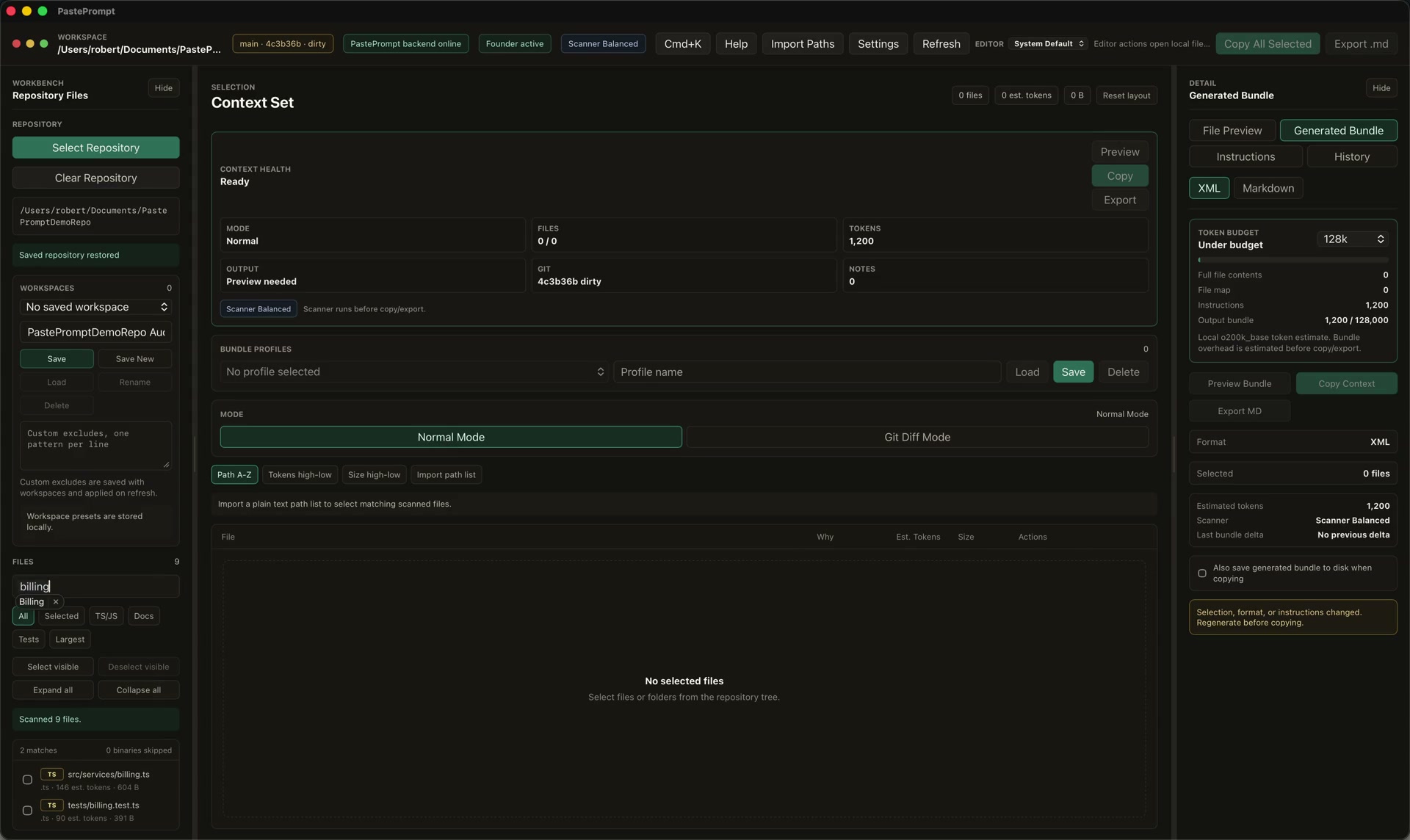
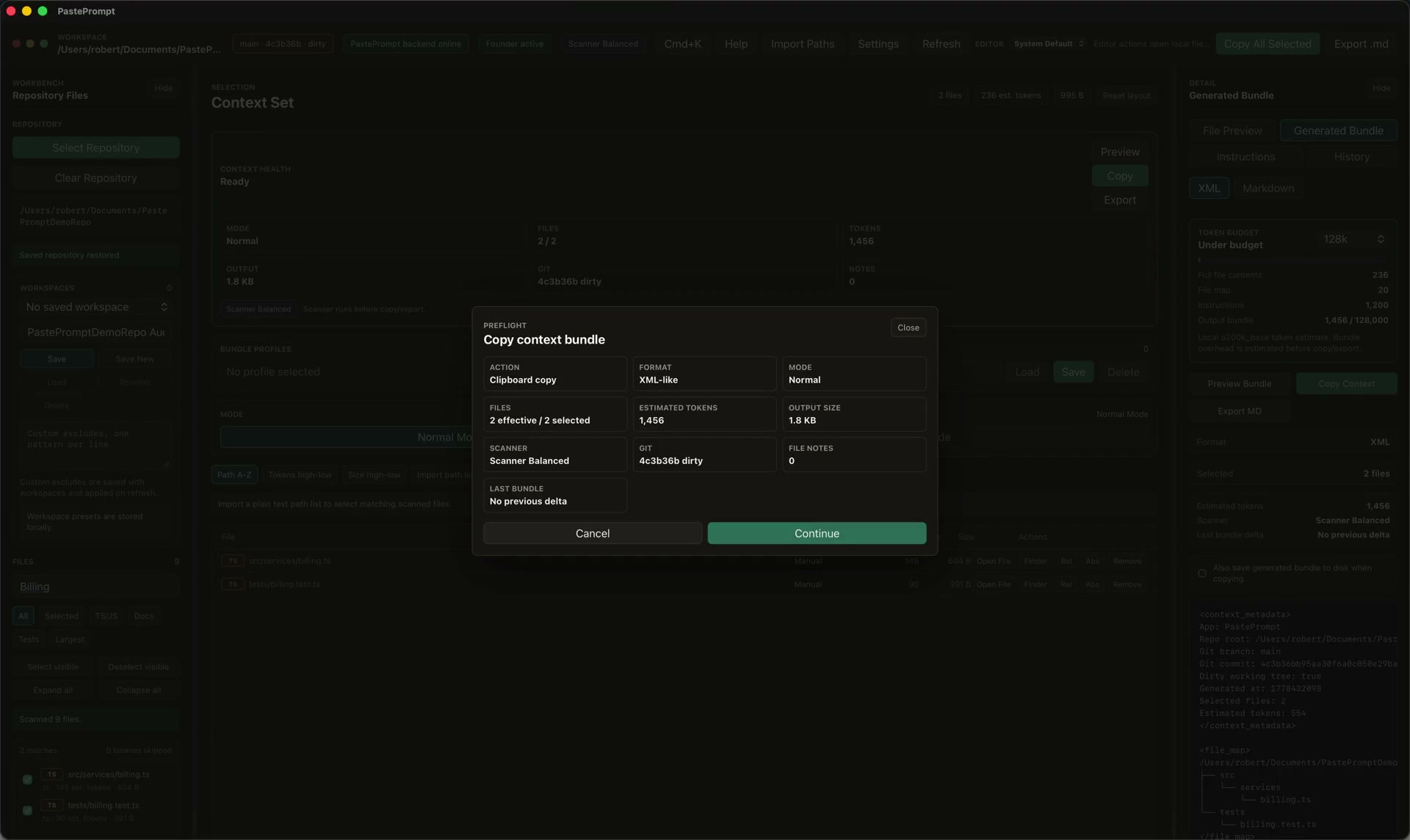
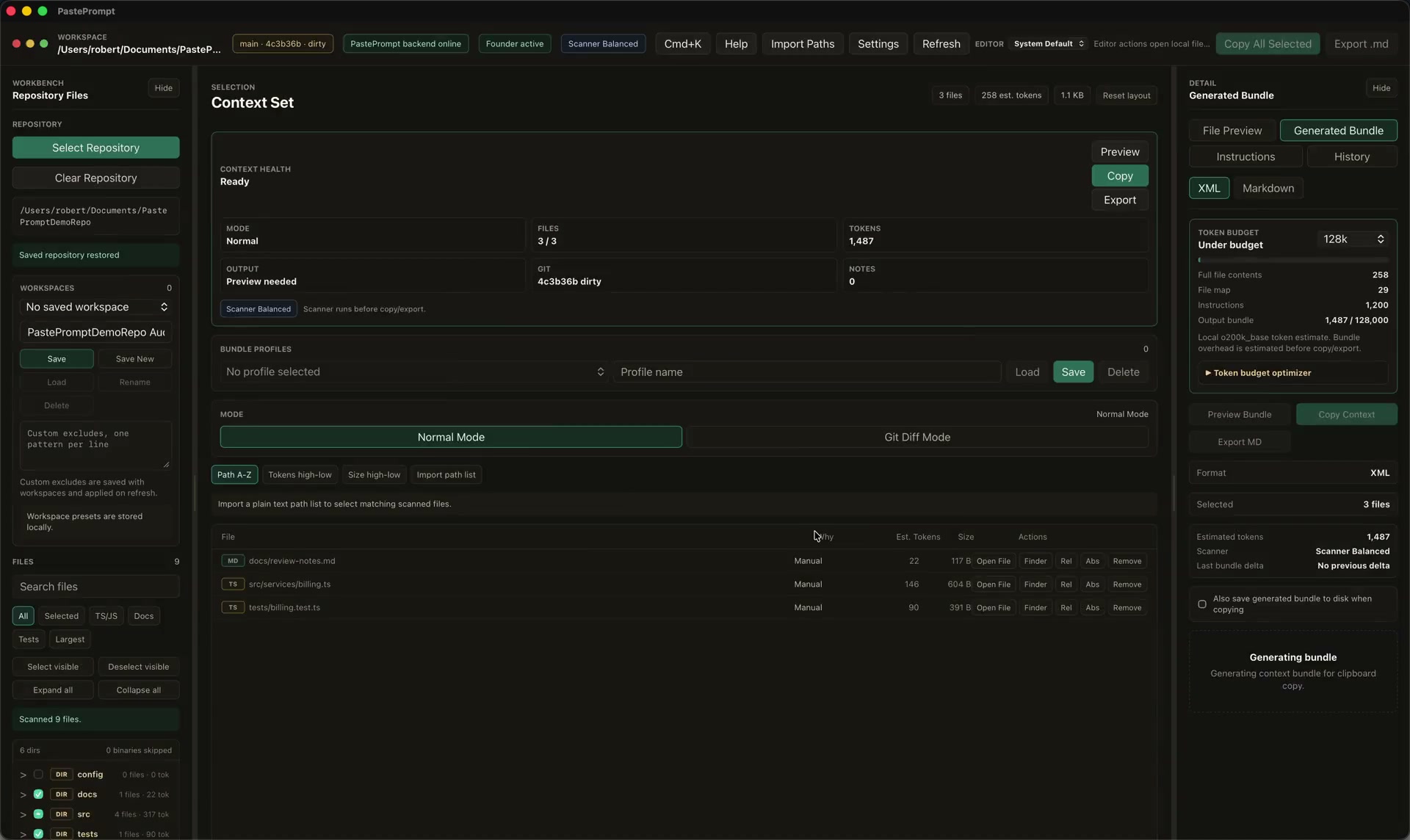
These short videos were recorded from the installed macOS app. They use a local demo repository and do not show customer code.
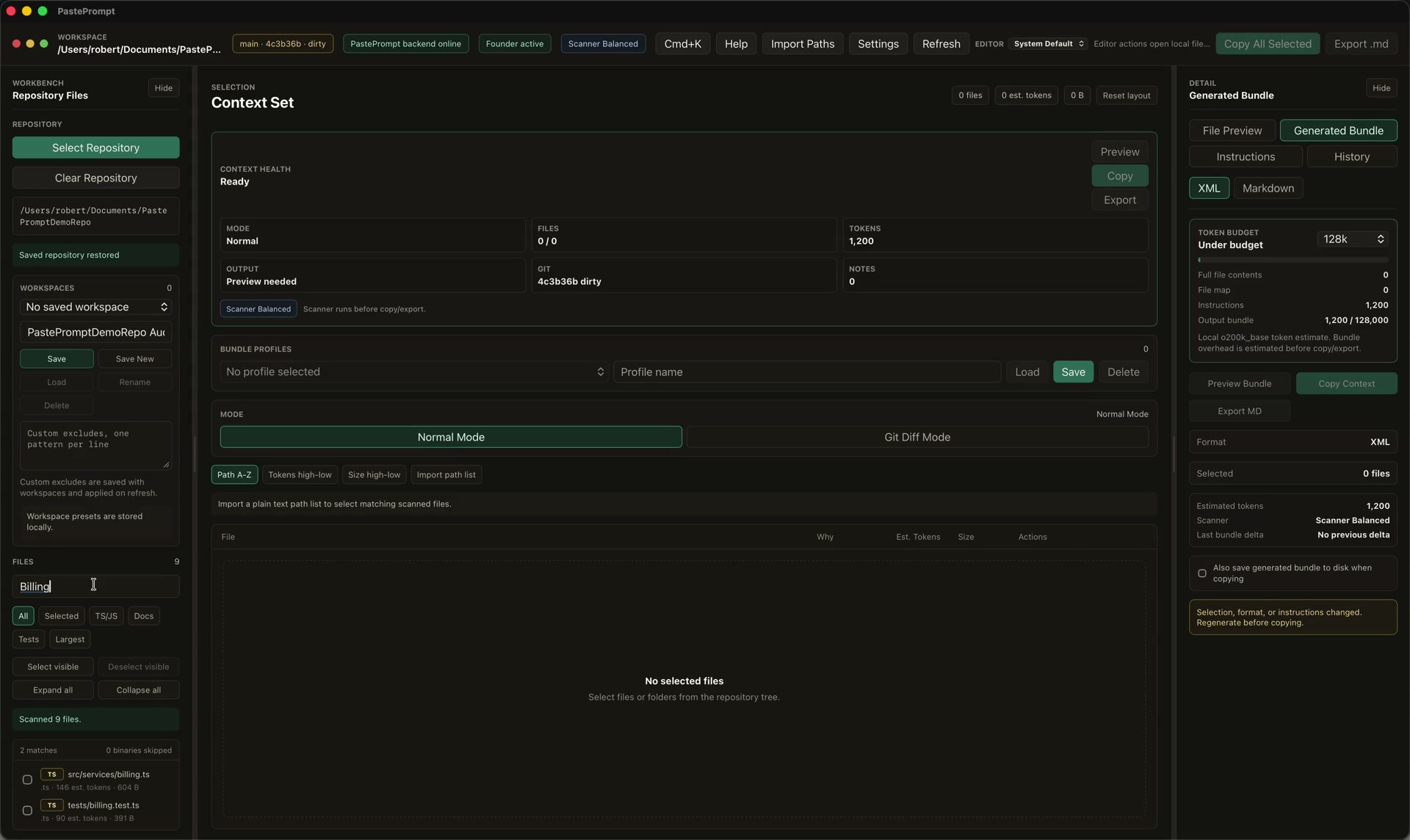
Search a local repository, select matching files, and confirm the selected token estimate before building context.
Generate an XML-like bundle, pass the local preflight check, copy context, and see the saved prompt-history metadata.
Switch to Git diff mode, load unstaged changes, select changed files, and include diff context in the generated bundle.
Trigger the local scanner with a synthetic demo key and review redaction, exclusion, cancel, and copy-anyway choices.
The scanner walkthrough uses a synthetic demo key so the warning flow can be shown safely.
The MVP is built around selecting the right material, checking it locally, and exporting it in a format that external LLM tools can use.
Desktop-first workflow for selecting and packaging local repositories.
Navigate large codebases without treating the whole repo as one blob.
Find source files, tests, configs, docs, and review targets quickly.
Estimate size by file, folder, and selected bundle.
Respect standard ignores and add context-specific exclusions.
Inspect source before it enters the generated context.
Generate structured XML or reviewable Markdown context.
Reuse audit prompts for recurring review modes.
Keep repeatable selections and settings for active codebases.
Run a local safety check before copy/export when enabled.
Include branch, commit, and repository state when it matters.
Prepare context around changes under review.
Suggest nearby source imports for selected files.
Track generated prompt metadata without storing raw source by default.
Save context bundles as `.md` artifacts.
Jump from selected context back to the editor.
PastePrompt is designed for sensitive repositories and professional review workflows. It does not require uploading source code to a PastePrompt backend for V1.
Read the security modelPastePrompt is not a vulnerability scanner. It helps auditors and reviewers prepare better input for the analysis they already perform.
Package source files, tests, configs, interfaces, docs, and focused review prompts for security analysis.
Prepare repeatable snapshots for attack-surface mapping, dependency review, and hypothesis-driven investigation.
Use Git diff mode with surrounding source files so reviewers can ask targeted questions about changed behavior.
Export Markdown bundles that document what was reviewed, which files were included, and what prompt shaped the review.
Build context like an artifact: select, inspect, check, generate, and reuse.
PastePrompt is useful anywhere selected code context needs to be inspected, reproduced, and moved into external LLM tools.
Copy or export context for ChatGPT, Claude, Gemini, Codex, Cursor, and other tools that accept pasted or attached code context.
Start with a broad tree, narrow by search and filters, then export only the files that support the question.
Keep templates for recurring review patterns instead of rewriting prompt framing for every repo.
Use Markdown exports when the context bundle itself needs to be stored, reviewed, or shared internally.
The difference is workflow shape: local selection, audit-oriented metadata, scanner gating, and reproducible bundles.
Founder and Pro purchases use hosted checkout links. Paid access is unlocked with a signed personal license file delivered after purchase.
Founder access for customers who want a long-term personal license and a direct support path during launch.
For auditors, reviewers, and consultants who use repeatable context-building workflows throughout the year.
Monthly access for shorter engagements, trials, and teams evaluating whether PastePrompt fits their workflow.
Short answers for launch users. Keep the full docs authoritative for install, license, and release details.
PastePrompt is designed as a local-first macOS app. Source code leaves your machine when you copy, export, paste, attach, or otherwise share a generated bundle.
No. PastePrompt prepares context. It does not find vulnerabilities by itself and does not guarantee LLM output.
It supports BYO LLM workflows by copying or exporting context for tools such as ChatGPT, Claude, Gemini, Codex, Cursor, and others.
No. PastePrompt works at the repository and file-selection layer, so it can prepare context for many language stacks and review workflows.
The initial product focus is macOS. Do not assume a Windows release until it is announced in the release notes.
Use PastePrompt to package code, diffs, related files, prompts, and checks into bundles you can inspect before sending to your LLM workflow.